Python Frame
Captions are burned into the upload.
Transcript: docs/videos/python/captions.vtt
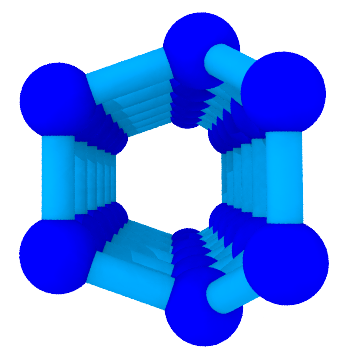
Python on ice Ih.
dseams.userframe.read in pydseamslib 2.14.0 returns a Frame over
libseams_lang. The examples import it under the name pydseams; the
top-level import pydseams is the 2.11 yoda Frame, whose reference
is in the PydSEAMSlib documentation.
Each call below is the example the suite runs, and the line under it is
the output. The frame is
input/traj/ice1h.lammpstrj, 128 oxygens.
read
>>> from dseams import userframe as pydseams
>>> frame = pydseams.read("input/traj/ice1h.lammpstrj", atom_type=1)
>>> frame.n_atoms
128
steinhardt
>>> from dseams import userframe as pydseams
>>> frame = pydseams.read("input/traj/ice1h.lammpstrj", atom_type=1)
>>> q = frame.steinhardt(6)
>>> len(q["ql"])
128
>>> round(sum(q["ql"]) / len(q["ql"]), 6)
0.625855
ring_census
>>> from dseams import userframe as pydseams
>>> frame = pydseams.read("input/traj/ice1h.lammpstrj", atom_type=1)
>>> frame.ring_census(6)
{6: 256}
rdf_2d
>>> import tempfile
>>> from dseams import userframe as pydseams
>>> frame = pydseams.read("input/traj/ice1h.lammpstrj", atom_type=1)
>>> radius, values = frame.rdf_2d(tempfile.mkdtemp(), cutoff=6.0, binwidth=0.5)
>>> len(radius)
12
>>> round(max(values), 6)
1.814601
monolayer_rings
>>> import tempfile
>>> from dseams import userframe as pydseams
>>> frame = pydseams.read("input/traj/ice1h.lammpstrj", atom_type=1)
>>> sheet = frame.monolayer_rings(tempfile.mkdtemp(), sheet_area=1.0, max_depth=6)
>>> sheet[6]["count"]
256
find_prisms
>>> import tempfile
>>> from dseams import userframe as pydseams
>>> frame = pydseams.read("input/traj/ice1h.lammpstrj", atom_type=1)
>>> frame.find_prisms(output_dir=tempfile.mkdtemp(), max_depth=4)
[{'size': 3, 'perfect': 0, 'imperfect': 0}, {'size': 4, 'perfect': 0, 'imperfect': 0}]
to_ase
>>> from dseams import userframe as pydseams
>>> frame = pydseams.read("input/traj/ice1h.lammpstrj", atom_type=1)
>>> atoms = frame.to_ase()
>>> len(atoms)
128
to_solvis
>>> from dseams import userframe as pydseams
>>> frame = pydseams.read("input/traj/ice1h.lammpstrj", atom_type=1)
>>> type(frame.to_solvis()).__name__
'System'
In-tree dseams.Frame
import dseams is the module built in this tree. dseams.Frame stores
a coordinate array. dseams.from_ase returns positions and a LAMMPS
cell, which set_frame accepts. The calls below are the ice Ih cell
from the Python recording: 128 waters, 512 neighbour entries, 256
six-rings, mean q6 0.625855, and 128 hexagonal labels.
>>> import numpy as np
>>> import dseams
>>> def ice():
...     xyz, edges, reading = [], [], False
...     handle = open("input/traj/ice1h.lammpstrj")
...     try:
...         while True:
...             line = handle.readline()
...             if line == "":
...                 break
...             if line.startswith("ITEM: BOX BOUNDS"):
...                 edges = []
...                 for _ in range(3):
...                     lo, hi = handle.readline().split()[:2]
...                     edges.append(float(hi) - float(lo))
...             elif line.startswith("ITEM: ATOMS"):
...                 reading = True
...             elif reading:
...                 parts = line.split()
...                 if len(parts) < 5:
...                     break
...                 xyz.append([float(v) for v in parts[2:5]])
...     finally:
...         handle.close()
...     return xyz, edges
>>> xyz, edges = ice()
>>> frame = dseams.Frame()
>>> frame.set_frame(np.asarray(xyz), np.asarray(edges))
>>> frame.count()
128
>>> offsets, cols = frame.neighbours(3.5)
>>> int(offsets[-1])
512
>>> sizes, sym, hist, frac = frame.rings(3.5, 6)
>>> int(hist[6])
256
>>> q4, q6 = frame.q4q6(3.5)
>>> round(float(q6.mean()), 6)
0.625855
>>> labels, counts = frame.chill_plus()
>>> int(counts[1])
128
>>> from ase import Atoms
>>> atoms = Atoms(symbols=["O"] * len(xyz), positions=xyz, cell=edges, pbc=True)
>>> pos, box = dseams.from_ase(atoms)
>>> pos.shape
(128, 3)
>>> frame.set_frame(pos, box)
>>> int(frame.chill_plus()[1][1])
128